Mobile App
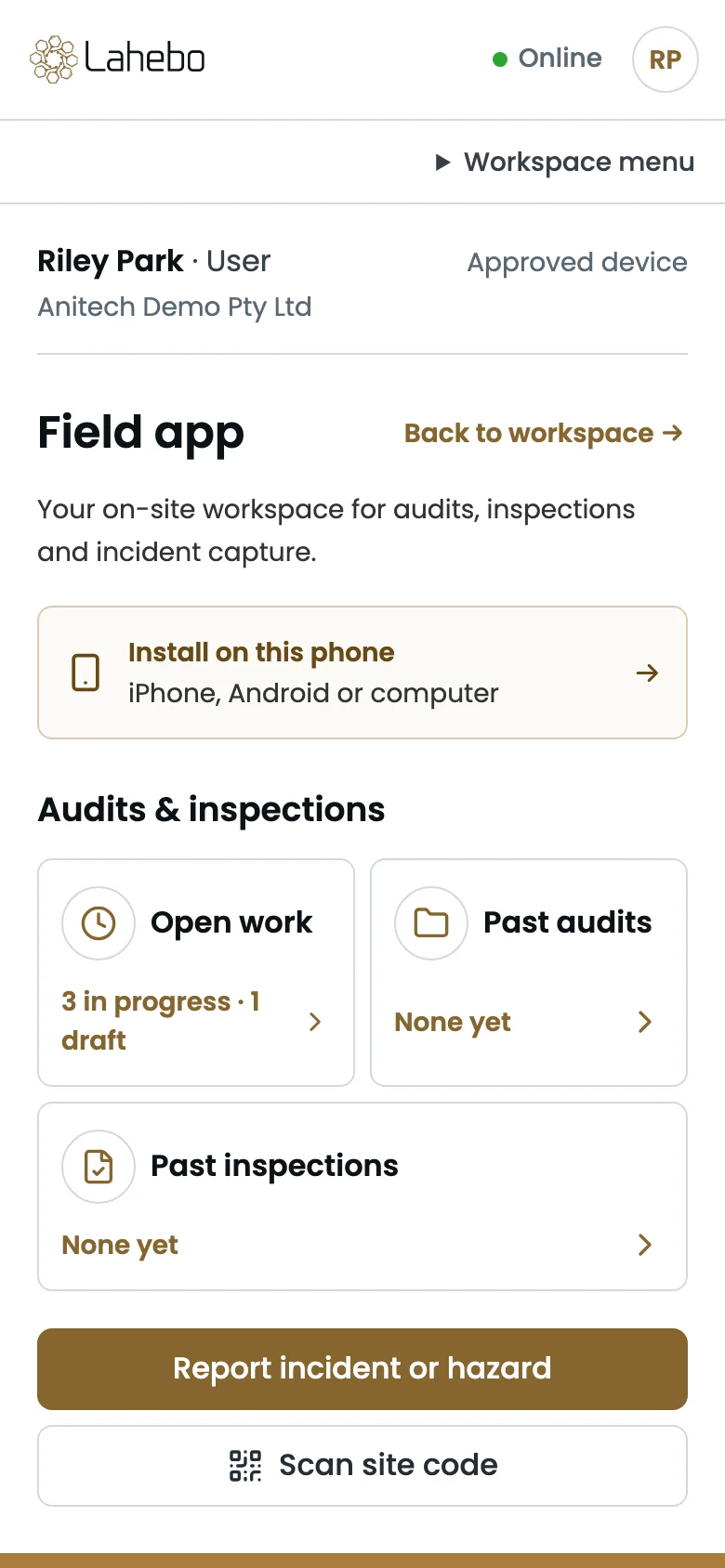
The platform in the field, on the phone already in your pocket
The Lahebo mobile app is the field side of the same platform: it installs on an iPhone, an Android phone or a computer straight from the browser, with the same sign-in and no app store, and it opens on the work assigned to you. On site it does the jobs a desk cannot: carrying out an audit or inspection one question at a time, capturing an incident or hazard with photographs the moment it is seen, and opening a site by scanning its QR code. Some of the key features are:
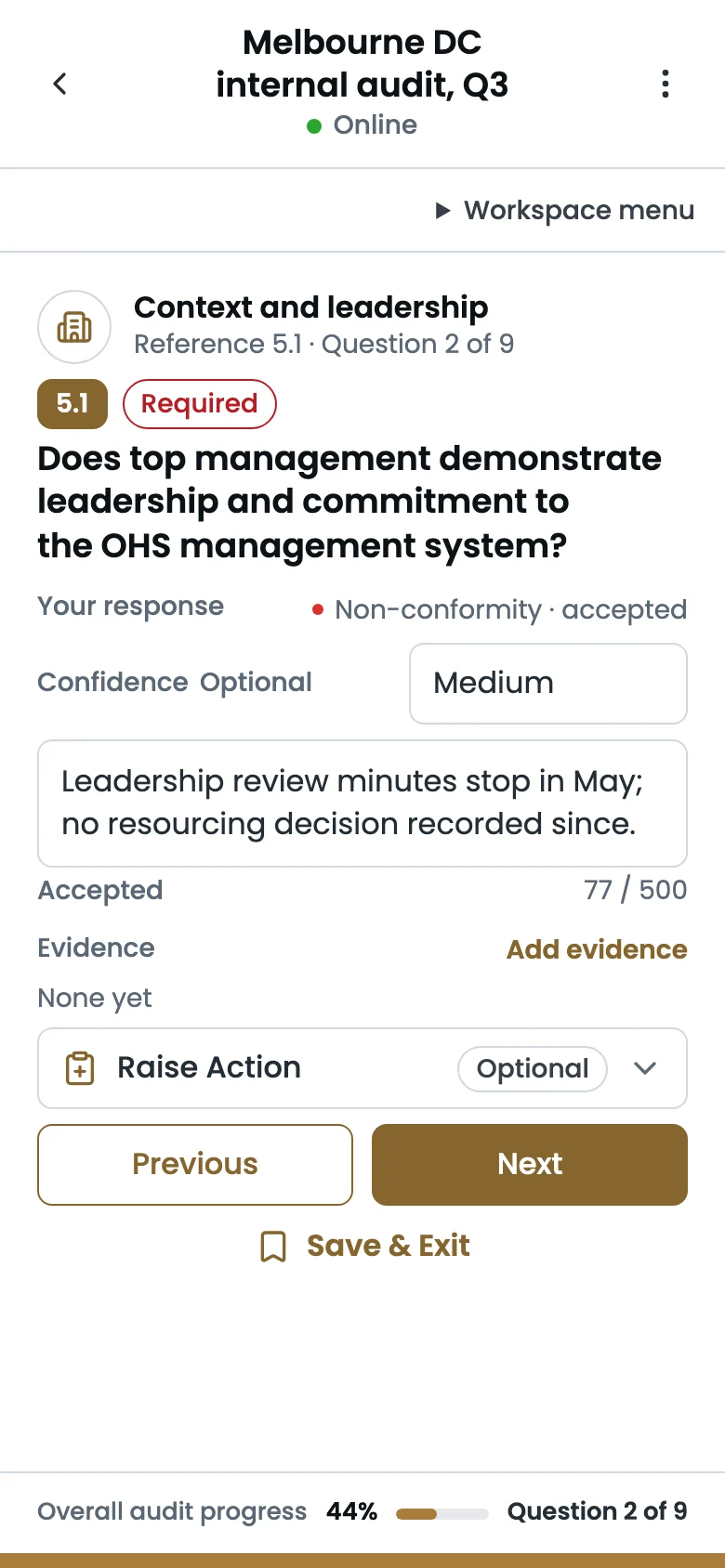
Answer one question at a time, with the camera in hand
Each question shows what is being checked and the evidence guidance, then takes the outcome, your confidence and your finding. Photographs and documents are attached to that question from the camera or the phone, a corrective action can be raised without leaving it, and questions can be added or set aside on the spot. Progress stays in view, and Save and Exit keeps the work for later.
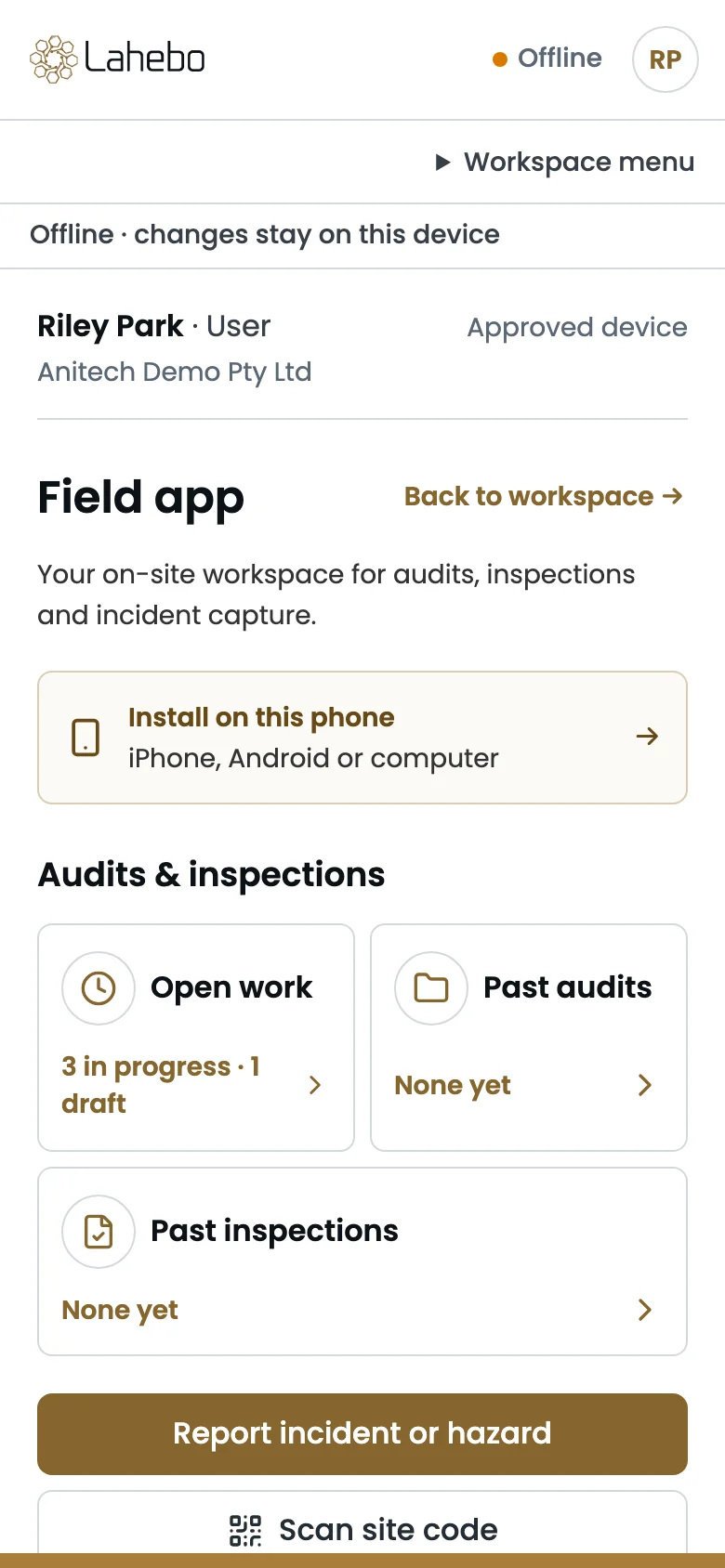
Works without a network, syncs safely when it returns
Below ground, in a plant room or at the back of a site, the app keeps working. Answers, evidence and captures stay on the device and go up when the network is back, in order and without duplicates, and the app never shows success before the platform has accepted the change. A remembered device keeps you signed in for three days of fieldwork without a connection.
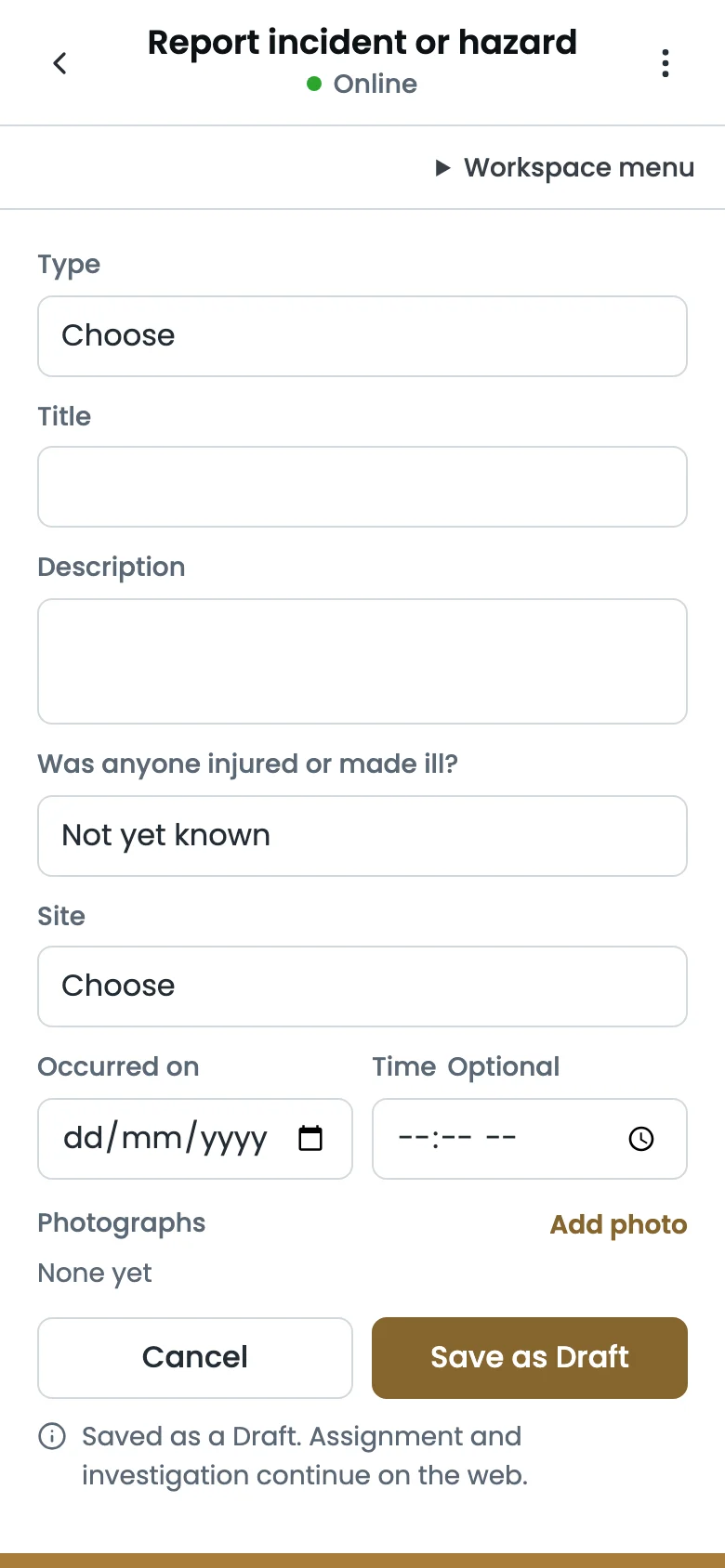
Report an incident or hazard in a minute
Type, title, what happened, whether anyone was hurt, the site, when it occurred and photographs: the short form saves as a draft in the Issue Register, where the office picks up the assignment and the investigation. Nothing is lost between the site and the desk.
Review, sync and complete
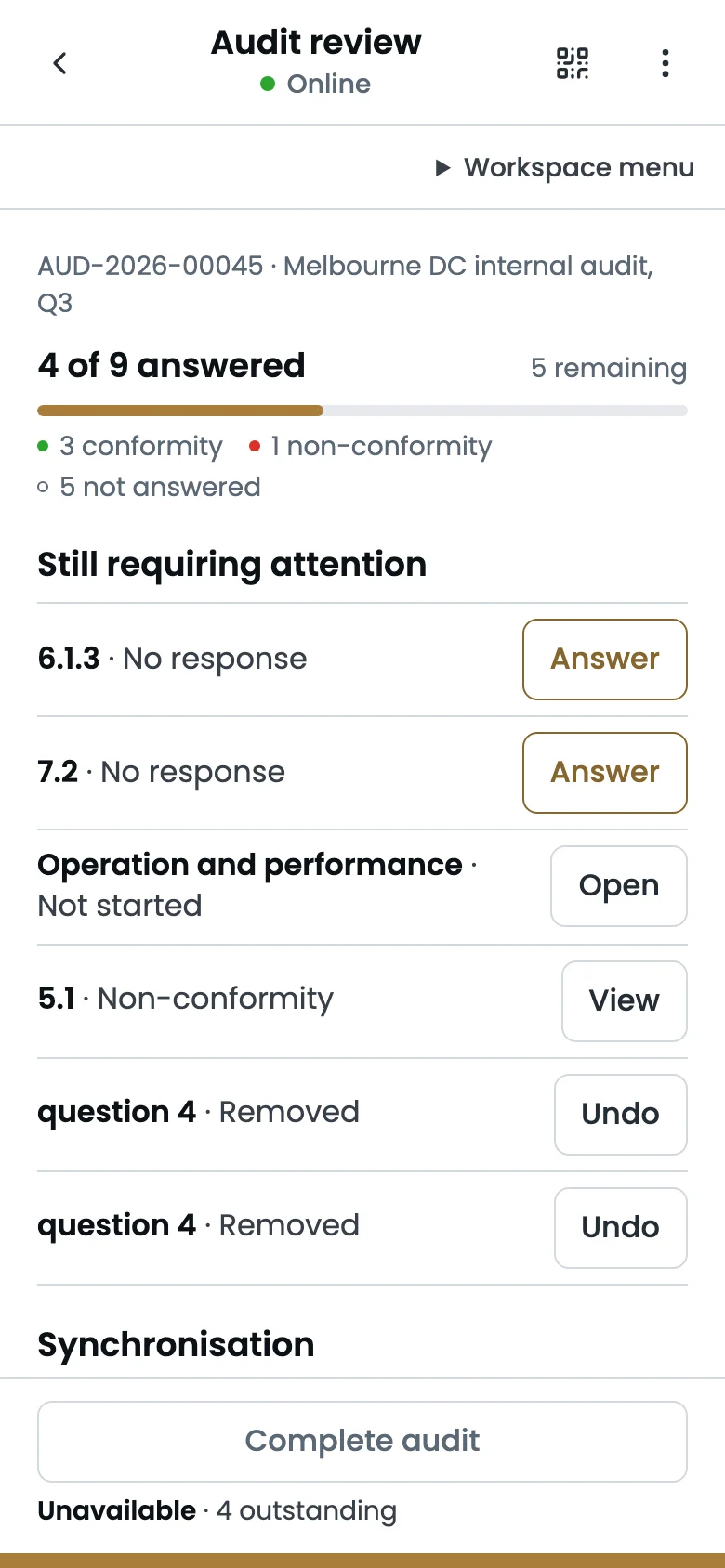
The review screen lists what is answered, what still needs attention and what is waiting to sync, so an audit is completed only when every required question has its answer and the platform agrees. The completed record then appears in Audit Centre with its report, exactly as it does for an audit run at a desk.
Features
A central GRC platform to create, edit and monitor Risks and Actions
Legislation Library
Option to build legal register from our list of libraries and get AI powered notification when there are new updates to the legislations.
Risk Management
Risk Identification and assessment with connecting mitigation to be tracked to completion and assess risk statuses.
Incident Management
Efficiently raise, investigate, manage issues/incidents, and mitigation actions through the issue module and enhance compliance.
Action Center
Multiple features for precise action management with workflow approval process and timely notifications.
Reporting
Dynamic reports with fixed and custom filters with various other loaded features.
Audit Centre
Audits and inspections from templates, with evidence against every question, findings raised as actions and a report that cannot be altered.
Document Library
Controlled documents with review cycles, folders by site and attachment to the risks, issues, actions and legal items they support.
Mobile App
Audits, inspections and incident capture on a phone, installed from the browser, working without a network and syncing when it returns.